If you run a CNC machine shop, you know that the job isn’t actually finished when the machine stops spinning. You open the enclosure door, pull out a beautifully machined metal part, and run your finger along the edge—only to feel a sharp, ragged ridge of leftover metal.
That is a burr, the ultimate nuisance of the manufacturing world.
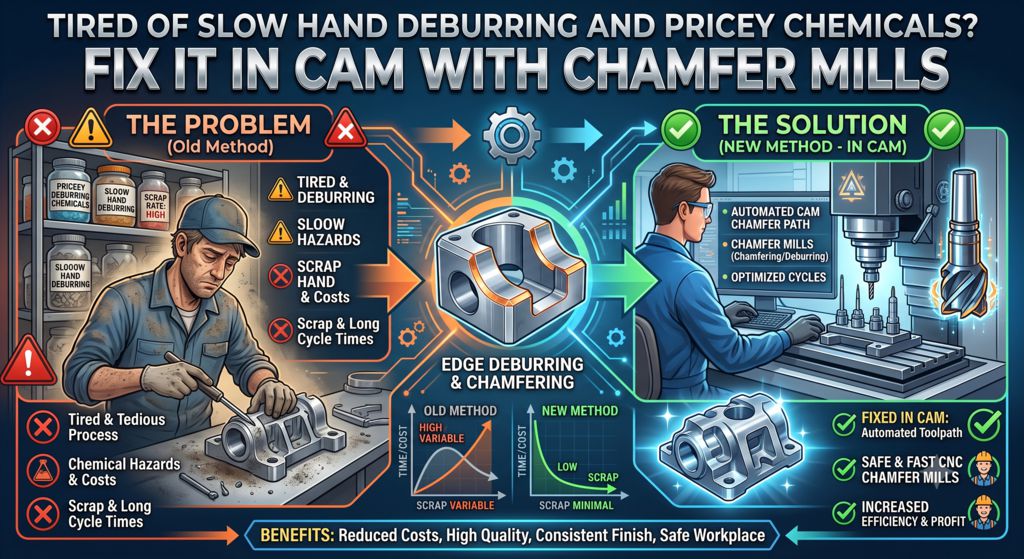
For decades, shops have dealt with burrs in two traditional ways. First, there is hand deburring, where operators sit at a bench with manual scraping tools or Scotch-Brite pads, rubbing edges until their wrists ache.
It’s slow, tedious, and highly inconsistent. Second, there is chemical or thermal deburring, which delivers flawless results but comes with eye-watering price tags and outsourcing delays.
What if there was a better way? What if you could skip the manual labor and the expensive vendor bills entirely, ensuring your parts drop out of the CNC machine 100% smooth and finished?
The secret lies right in your programming room: handling deburring during the CAM phase using a humble Chamfer Mill. Let’s look at how this works in plain English and how you can apply it to your shop today.
The Root of the Problem: Why Do Burrs Happen?
To fix burrs at the machine, we first need to understand why they exist.
Think of a cutting tool like a tiny, ultra-sharp snowplow. As an endmill shears through metal at high speeds, it pushes a wave of material ahead of it. When the tool reaches the edge of a part, the metal at the very corner doesn’t have enough structural support to be cleanly sliced off. Instead, it bends and stretches outward, forming that sharp, unwanted lip we call a burr.
If you leave that burr on the part, it can cut an assembly worker, prevent components from fitting together smoothly, or break off later inside a machine, causing catastrophic failure.
The Solution: Catch It in CAM
Instead of treating deburring as a post-processing headache, smart machinists treat it as part of the primary machining process.
Modern CAM (Computer-Aided Manufacturing) software is incredibly smart. Inside programs like Autodesk Fusion 360, Mastercam, or SolidCAM, there are dedicated features specifically designed for edge breaking and deburring.
By adding a Chamfer Mill to your tool changer and spending an extra two minutes in your CAM software, you can program the machine to automatically trace every single top edge, pocket, and contour of your part before it gets ejected.
3 Reasons to Switch to In-Machine Chamfer Deburring
1. Absolute Consistency
Human operators get tired. An operator might deburr the first ten parts beautifully on a Monday morning, but by Friday afternoon, their hands are fatigued, and the edges might be left slightly sharp or unevenly scraped. A CNC machine never gets tired. It will apply the exact same microscopic, 45-degree edge break to the 1st part and the 1,000th part, ensuring flawless quality control.
2. Slashed Lead Times
When you deburr by hand, your parts pile up at the deburring bench, creating a bottleneck. If you outsource to a chemical deburring facility, you have to pack the parts, ship them, wait for processing, and pay a premium, adding days or weeks to your lead time. By deburring inside the CNC machine, the part is done the second it lands in the parts catcher.
3. Maximum Use of Machine “Spindle Time”
Some shop owners worry that adding a deburring cycle increases the machine’s cycle time. While it might add a few seconds or a minute to the program, look at the big picture: machine time is highly automated and inexpensive compared to human labor. Letting the machine run for an extra 30 seconds saves 5 minutes of manual labor per part. That is a trade-off that wins every single time.
Tips for Perfect CNC Deburring
If you’re ready to set up automated deburring in your CAM software, keep these practical tips in mind:
- Pick the Right Tool: A pointed, 45-degree chamfer mill or a ball-nose endmill works beautifully. For micro-deburring, small engraving tools can also sneak into tight corners.
- Watch Your “Tip Offset”: The very tip of a chamfer mill doesn’t actually cut metal very well because its spinning speed at the center point is technically zero. When programming your CAM toolpath, use a “tip offset.” This pushes the tip of the tool slightly past the edge of the part, ensuring that the sharp, beautifully cutting side of the chamfer mill does all the work.
- Don’t Forget the Under-Cuts: Did you know you can buy double-sided chamfer tools? These look like tiny lollipops and can deburr both the top and the bottom edges of a through-hole or a slot without flipping the part over.
The Takeaway: Stop Scraping, Start Programming
Hand deburring belongs in the past, and chemical deburring should be reserved only for the most extreme, unreachable internal geometries. For 90% of everyday machine shop work, the most cost-effective, reliable deburring tool you have is your CAM software.
By taking a few extra moments to program a chamfer mill toolpath, you’ll save your team from sore hands, eliminate shipping delays, and watch your shop’s profitability soar.
Get more info, please visit our CNC Turning Parts or Products.
Contact us for your customized metal parts.
Are you still deburring parts by hand in your shop? What’s holding you back from letting your CAM software take over the hard work? Let’s talk about it in the comments below!